Find the Institution
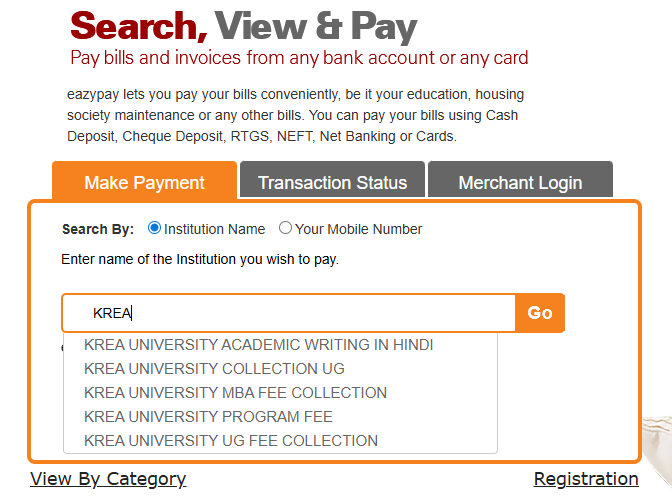
Visit the ICICI eazypay portal and search for KREA UNIVERSITY PROGRAM FEE in the institution name field.
Please follow these steps carefully to complete your registration fee payment.
Visit the ICICI eazypay portal and search for KREA UNIVERSITY PROGRAM FEE in the institution name field.
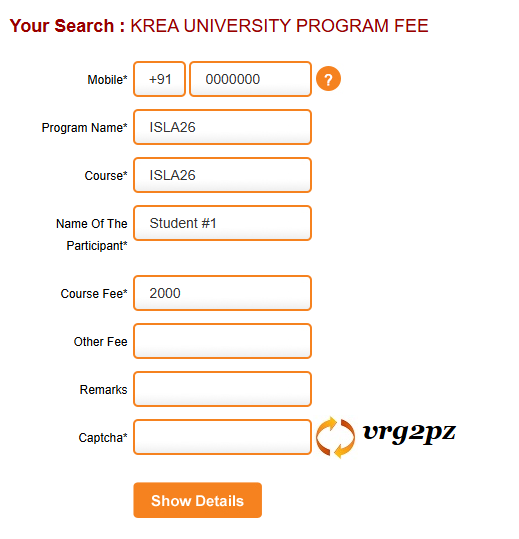
Provide a valid mobile number to receive the required OTP via text message. Enter ISLA26 in both the 'Program Name' and 'Course' fields. Enter the fee amount that corresponds to your Registration Category (Student, Faculty, or Industry). Please note that all fields marked with an asterisk (*) are mandatory.
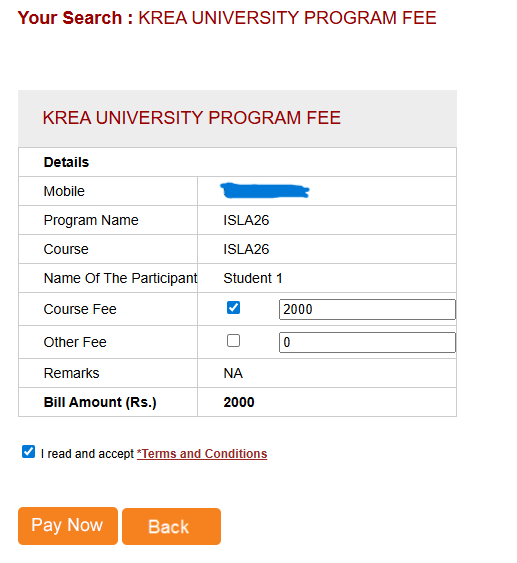
On the summary page, ensure you deselect"Other Fees". Choose your preferred payment method (Net Banking, UPI, or Card) and complete the transaction.